> ## Documentation Index
> Fetch the complete documentation index at: https://docs.droomwork.io/llms.txt
> Use this file to discover all available pages before exploring further.
> Droomwork makes hiring freelance talent incredibly fast and straightforward, designed specifically to help qualified professionals respond and get hired within 48 hours. Posting a job on Droomwork is free to start, with a simple 3-step wizard: BASIC - REQUIREMENTS - EXTRA.
# Post A Job Request
## Step 1: Sign Up / Log In as a Client (Basic Information)
* Go to the Droomwork platform homepage (or use an Affiliate Link).
* Click the **"Hire Now"** button for hirers.
* Create a free client account (or log in if you already have one) using your work email.
* Fill in the **Basic Information** section:
* **Company Name**\*: Enter your company (e.g., "Apple Inc").
* **Phone Number**: Select country code (e.g., NG +234) and enter your number.
* **Work Email**\*: Provide a professional email (e.g., [username@yourcompany.com](mailto:username@yourcompany.com)).
* Click **Next** to proceed to Requirements.
-1.png?fit=max&auto=format&n=dyLMdJzxT2ArCyEg&q=85&s=7a1f598f33a63ae2fe0c9365db064a7b) ## Step 2: Specify the Hire Request (Requirements)
This is the core matching step — Droomwork uses your selections to instantly surface the most relevant talents.
1. **Select Role**: Choose the main category/role you're hiring for from the chip-style list.
## Step 2: Specify the Hire Request (Requirements)
This is the core matching step — Droomwork uses your selections to instantly surface the most relevant talents.
1. **Select Role**: Choose the main category/role you're hiring for from the chip-style list.
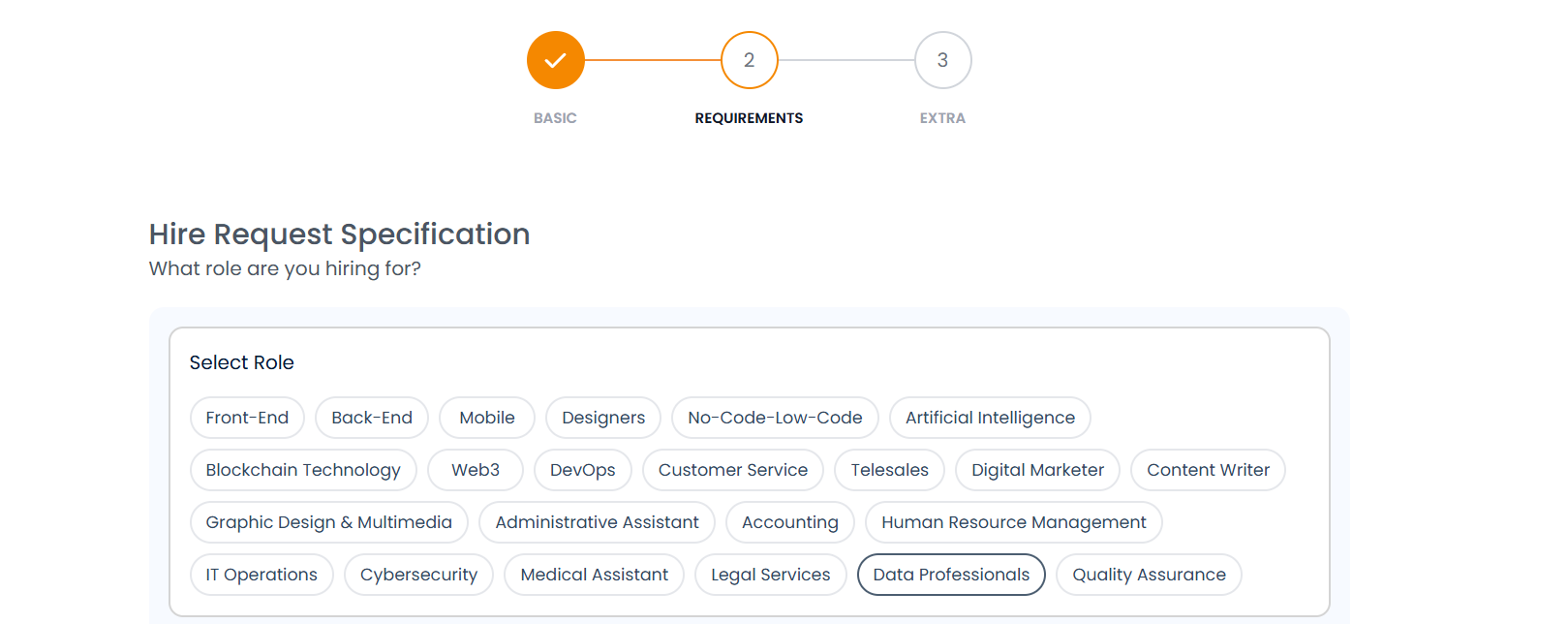 2. **Select Specialties**: choose the Specialties (multi-select chips). You can add up to 3+. For example, under Data Professionals:
* Data Analysis, Data Visualization, Statistics & Math
2. **Select Specialties**: choose the Specialties (multi-select chips). You can add up to 3+. For example, under Data Professionals:
* Data Analysis, Data Visualization, Statistics & Math
 3. **Select Tools**: Pick the specific tools/skills the talent should know (e.g., Excel, Power BI, Pandas, Python/R, SQL, Jupyter Notebook). You can add up to 3+.
 4. **Select Level**: Choose experience level from the dropdown:
* Junior, Mid, or Senior.
4. **Select Level**: Choose experience level from the dropdown:
* Junior, Mid, or Senior.
 5. **Select Work Type**: Choose Contract, Full-Time, or Part-Time.
 6. **Skills**: Type/search and add key soft/hard skills (e.g., Data Analytics, Communication, Problem Solving, Collaboration, Documentation). You can add up to 8+.
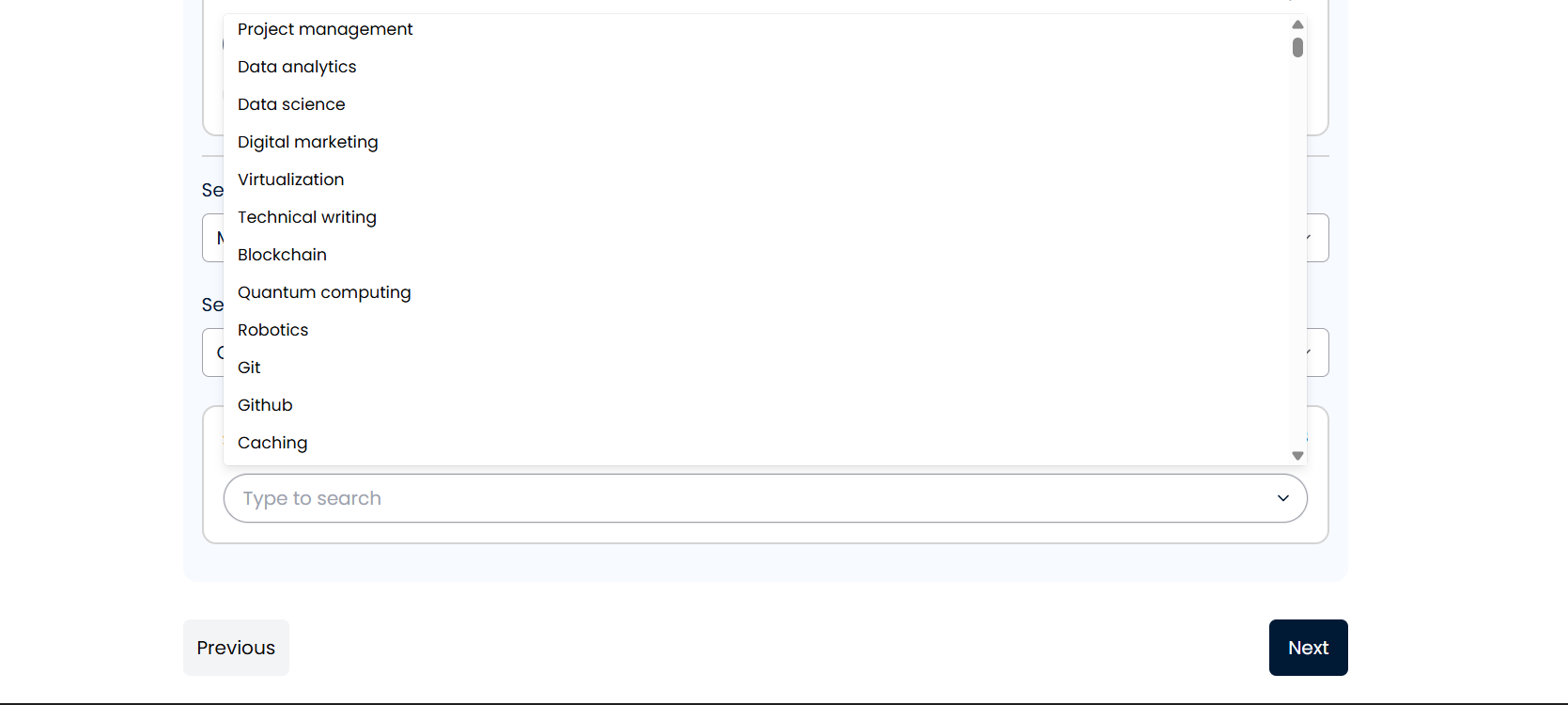 7. Click **Next** once selections are complete.
## Step 3: Add More Details & Budget (Extra)
Finalize the post with project specifics — this attracts serious, qualified responses.
1. **Job Description**\*: Write a clear, detailed description in the text box. Explain the project scope, deliverables, timeline, goals, and any must-haves.
2. **Upload Job Description File**\* (optional but recommended): Drag & drop supporting files (.pdf, .docx, .docs up to 5MB)
7. Click **Next** once selections are complete.
## Step 3: Add More Details & Budget (Extra)
Finalize the post with project specifics — this attracts serious, qualified responses.
1. **Job Description**\*: Write a clear, detailed description in the text box. Explain the project scope, deliverables, timeline, goals, and any must-haves.
2. **Upload Job Description File**\* (optional but recommended): Drag & drop supporting files (.pdf, .docx, .docs up to 5MB)
 3. **No. of Talents**\*: Enter how many freelancers you need (e.g., 1 for a single project, or more for a team).
4. **Choose Location Preference**: Select preferred region (e.g., Africa, Europe).
5. **Payment Type**: Choose from:
* Fixed Cost (pay a fixed amount based on agreed milestones — most popular for defined projects).
* Retainer (weekly/monthly payments while delivering ongoing value).
* Hourly Rate (pay per work hour).
3. **No. of Talents**\*: Enter how many freelancers you need (e.g., 1 for a single project, or more for a team).
4. **Choose Location Preference**: Select preferred region (e.g., Africa, Europe).
5. **Payment Type**: Choose from:
* Fixed Cost (pay a fixed amount based on agreed milestones — most popular for defined projects).
* Retainer (weekly/monthly payments while delivering ongoing value).
* Hourly Rate (pay per work hour).
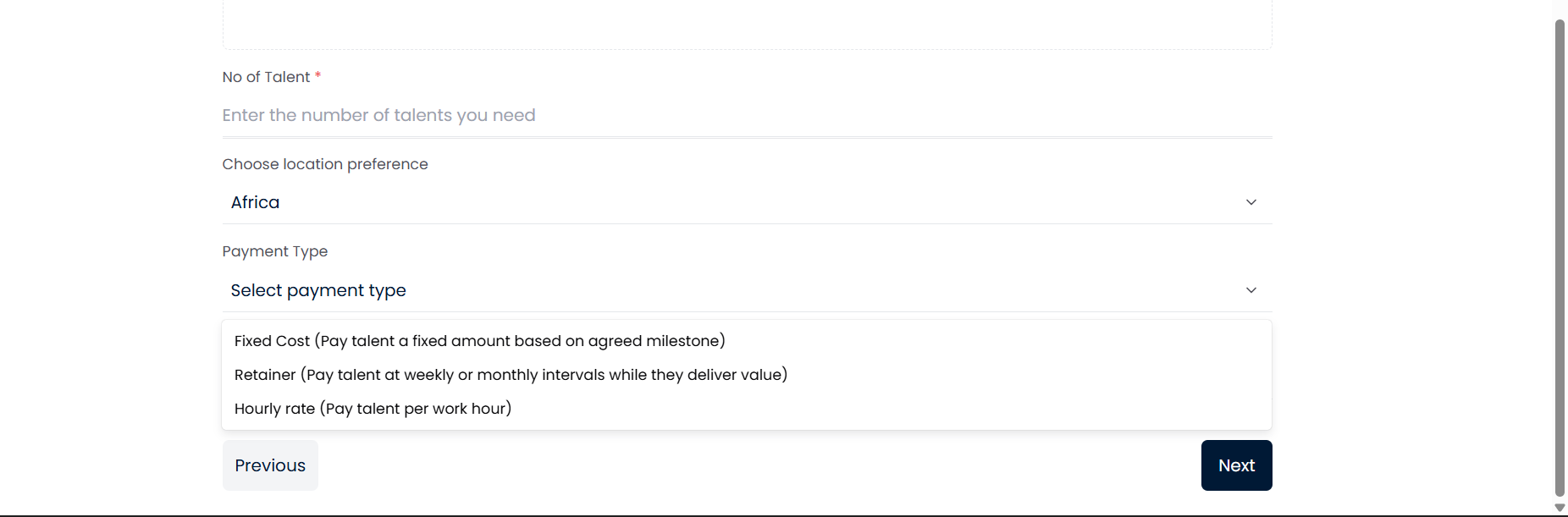 6. **Payment Budget**: Set your budget range (e.g., NGN 200,000+ or equivalent)
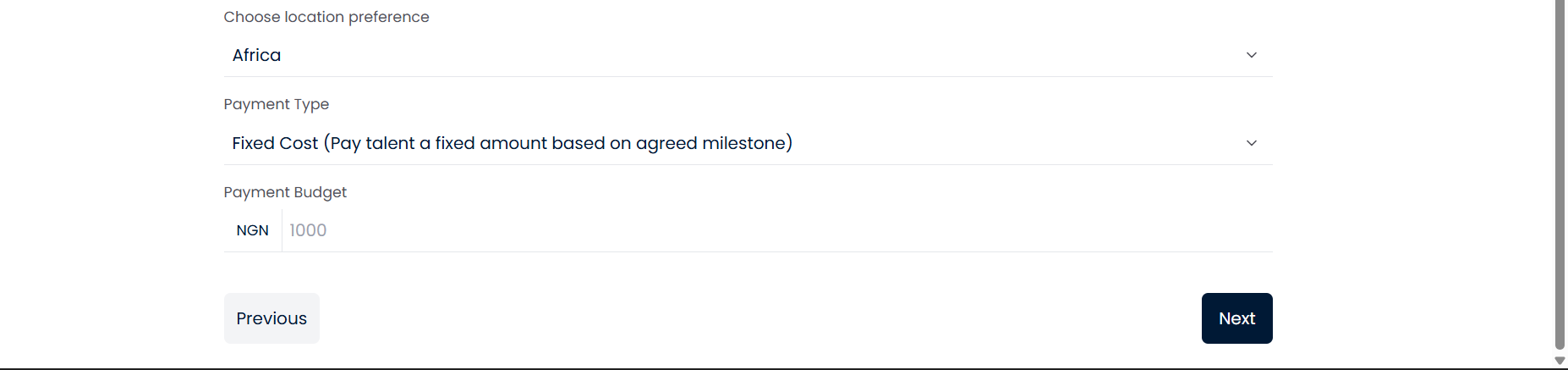 7. Review everything, then click **Next** to **Submit**.
Once posted:
* Your job goes live immediately.
* Matching freelancers receive notifications, and they show interest quickly.
* Review profiles, portfolios, interview, and hire — many clients complete hires in under 48 hours.
* Use Droomwork secure payments, milestones, and protection features.
7. Review everything, then click **Next** to **Submit**.
Once posted:
* Your job goes live immediately.
* Matching freelancers receive notifications, and they show interest quickly.
* Review profiles, portfolios, interview, and hire — many clients complete hires in under 48 hours.
* Use Droomwork secure payments, milestones, and protection features.